


Adminer 6.0.0 for SQLite
SQLite databases are not protected by a password so Adminer refuses to open them. Fill in a password below and download an Adminer which asks for this password without passing it to the database.
Create the archive manually:
- Save this file as
index.php: adminer-6.0.0-sqlite.php - Save this plugin next to it as
adminer-plugins/login-password-less.php: login-password-less.php - Get the hash of your password by
php -r "echo password_hash('your password', PASSWORD_DEFAULT);"and use it inadminer-plugins.phpdescribed below.
Then:
- Unzip the archive and put your database file in the directory (or move the directory next to your database file).
- Run
php -S localhost:8080in the directory and open localhost:8080, or upload the directory to a web server. - Leave the username empty, fill in your password and select the database file.
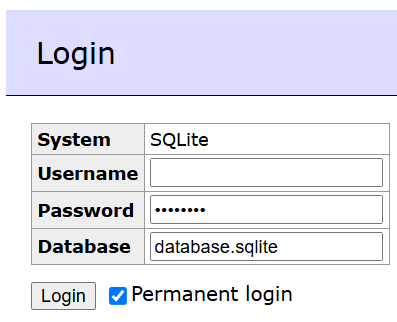
Everybody who can open the address can try to guess the password so use a strong one. Keep in mind that the database file can be downloaded by everybody if it is placed in a public directory.
The archive contains a directory with these files:
index.php – Adminer with the SQLite driver only. Replace it by the Adminer supporting all databases if you need them too, the rest keeps working.
adminer-plugins/login-password-less.php – the plugin allowing the login. Adminer runs every plugin placed in this directory.
adminer-plugins.php – the configuration of the plugin. Plugins requiring a parameter (like the password hash here) have to be listed in this file:
<?php // adminer-plugins.php
return array(
	new AdminerLoginPasswordLess('$2y$12$…'),
);
README.txt – the same instructions in English.